Accessible by design. Inclusive by default.

Making Academic Search
Accessible for All

Dilex Search layers on top of your library's existing investment in discovery infrastructure to deliver universally accessible search experiences without disrupting what already works.

Preview
Home page with the search input field ready for a query

Step 1 of 16

Home: Enter a search query

From the home page, type your query into the search box to begin a brand new search task.

Pulsing Animation
Auto-Play
Why

Academic Search Shouldn't Be This Hard

Academic search tasks place a significant strain on working memory and attention. When searchers pause their search and return later, losing task context can interrupt progress and reduce meaningful engagement.

Search Tasks Span Sessions

Complex academic search tasks are rarely completed in one sitting. Searchers routinely pause and resume tasks across multiple sessions.

Resumption Is Critical

The return to a task is where momentum is either preserved or lost. Relying on memory increases friction and delays progress.

Continuity Supports Persistence

When continuity breaks between sessions, searchers are less likely to sustain effort on difficult search tasks that require persistence.

How

An Enhanced Search Experience

Visual memory aids and a streamlined interface deliver a seamless search experience across all the searcher's devices, empowering them to stay oriented, focused, and in control throughout their entire search journey.

Exploratory

Dilex Search is designed for the open-ended queries and iterative refinements that define complex academic search tasks.

Discovery

Visual guides and contextual cues help searchers recognize what is relevant, even when they aren't sure what they are looking for.

Journey

Search context persists across sessions and devices so returning searchers can pick up where they left off.

What

Designed for Real Search Behaviour

Every feature in Dilex Search is grounded in research on how searchers actually search: across sessions, across devices, and under real cognitive constraints.

Start Anywhere

Search does not always begin at a desk. Keeping the experience consistent across devices and sessions allows searchers to begin wherever they are and keep going.

Optimized for Cross-Device Use

Every feature works on mobile with no compromise. Searchers can search between classes on their phone and continue deeper exploration on their laptop, with full context preserved.

Cross-Session Searching

Academic search rarely happens in a single session. Dilex Search preserves queries, saved results, and activity history so searchers can extend complex search tasks over time without losing prior work.
Recognize What Matters

Discovery works best when relevance is easy to recognize. Visual cues and activity context help searchers quickly identify useful results and make sense of what they have found.

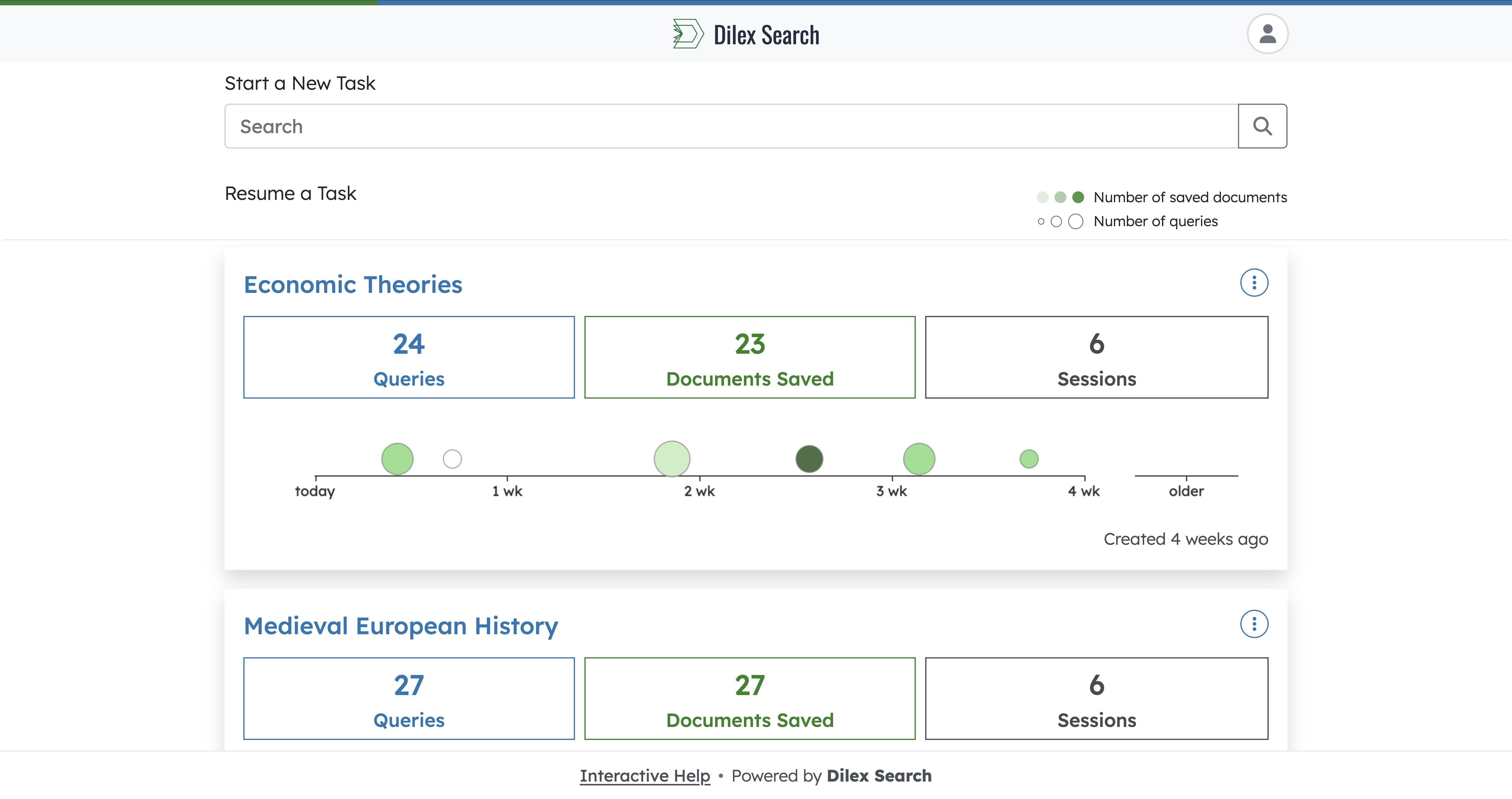
Visual Timeline of Search Activity

Past search behavior is presented through an intuitive visual timeline that helps searchers understand their progress and encourages continued engagement.

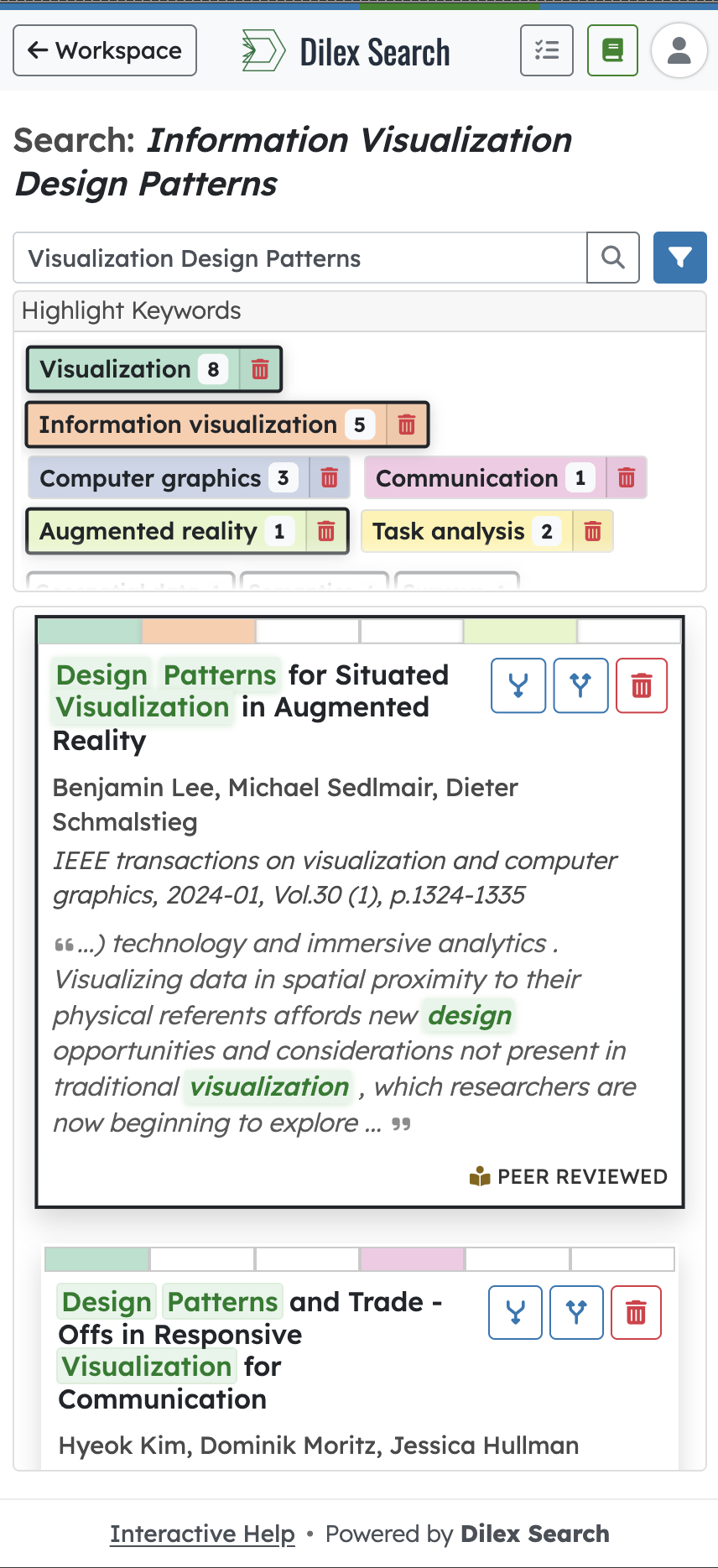
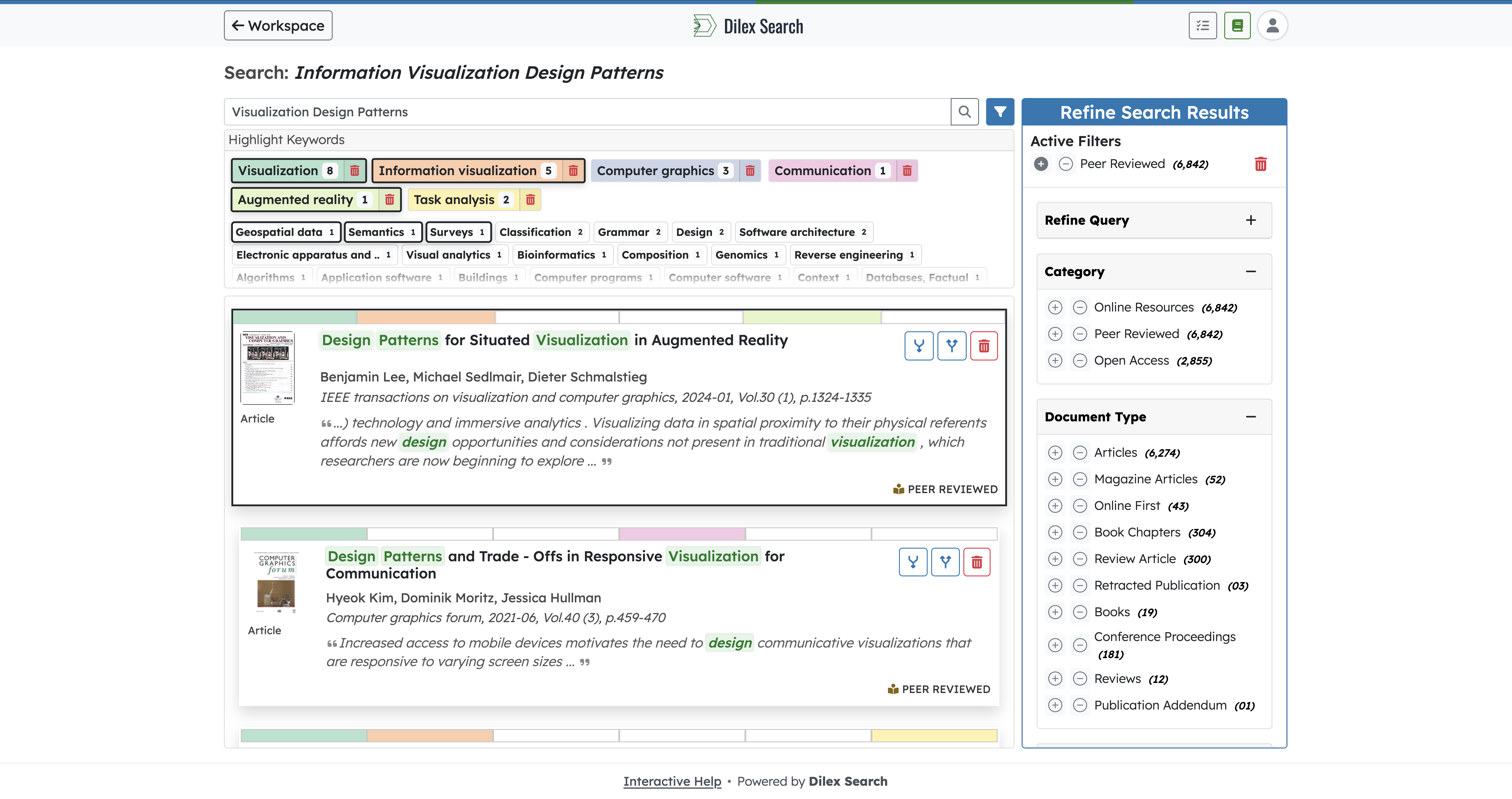
Keyword Highlighting & Visual Aids

Visual memory aids like keyword highlighting reduce the burden on working memory, allowing searchers to stay focused and engage more confidently with library resources.

Continue Without Losing Context

When searchers return, they should not have to reconstruct their search. Clear resumption cues and organized saved results make it easy to continue with meaningful context.

Search Task Resumption

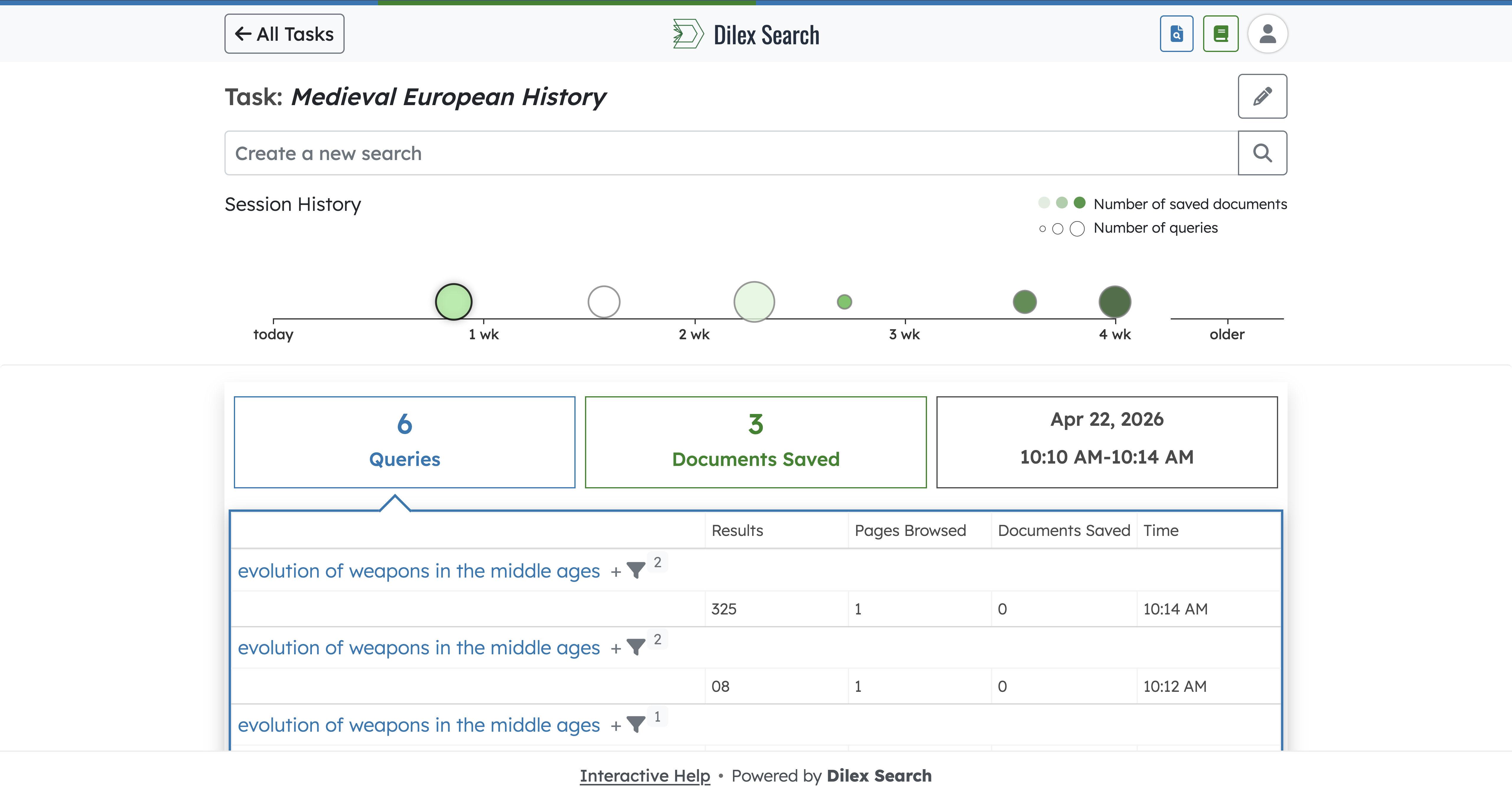
When returning to a previous search, Dilex Search provides a clear visual timeline of past activities, showing when searchers last searched, how engaged they were, and how many resources they saved.

Effortless Information Re-Finding

Search results organized by task make it easy to revisit and distinguish between different search efforts. Searchers can locate previously discovered materials without repeating work.

Preview
Search history page with a previous session selected

Step 1 of 7

Start on search history and open a previous session

From search history, click a previous search session to reopen it quickly.

Pulsing Animation
Auto-Play
Interactive demo

See How Search Comes to Life

Watch keywords pop in the results, flip through document cards, and save what matters in one smooth path. Highlights carry into your workspace so you can scan, compare, and pick up the task without starting over.

Universal Design

Accessibility Beyond Compliance

Standard accessibility guidelines are only the starting point. Dilex Search extends beyond WCAG 2.2 by incorporating research-driven features that support neurodiverse learners, reduce cognitive load, and ensure every searcher can engage confidently with library resources.

WCAG 2.2 Level AA conformant: Lighthouse 100/100 on all pages
Designed to exceed W3C COGA Supplemental Guidance
Keyboard navigable with visible focus indicators
Respects reduced-motion and OS-level preferences
Colorblind-friendly interface
WCAG 2.2 AA
COGA Assessed
Mobile Optimized
100/100 Lighthouse
Dilex Search on desktop: search results with highlight keywords and refine panel.
Dilex Search on mobile: search results with highlight keywords.
Seamless Cross-Device Searching

Search Anywhere, Without Compromise

Searchers move fluidly between devices, and their search tools should do the same. Dilex Search provides a powerful desktop search experience and an interface that is just as powerful on mobile for searching whenever and wherever they are.

Integrations

Compatible with Trusted Library Ecosystems

Dilex Search integrates with established library technology ecosystems, providing an accessible discovery layer without disrupting existing customizations.

Ex Libris
Third Iron
SpringShare

Ready to Transform Your Library's Search Experience?

See how Dilex Search can strengthen your institutional commitments to providing inclusive and equitable access to library resources. Reach out, and we'll be in touch.

Leave a Message

We will get on it promptly. Expect a response soon.

FAQs

Common Questions

Quick answers to the questions we hear most often.

Have more questions? View all FAQs